
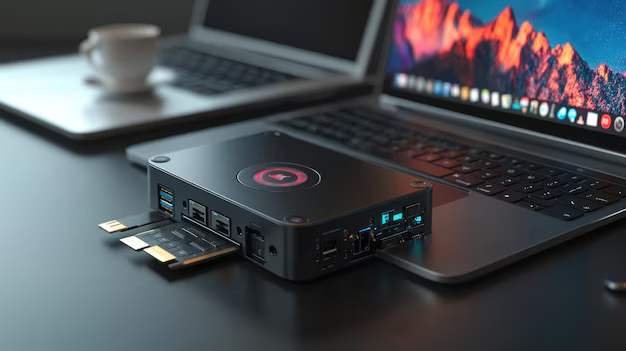
Choosing the right storage drive can have a huge impact on your gaming experience. Gamers often debate whether a Solid State Drive (SSD) or a Hard Disk Drive (HDD) is better for gaming. While both store games, save files, and system data, they perform very differently. Understanding these differences can help you decide which drive suits your needs and budget.
What Are SSDs and HDDs
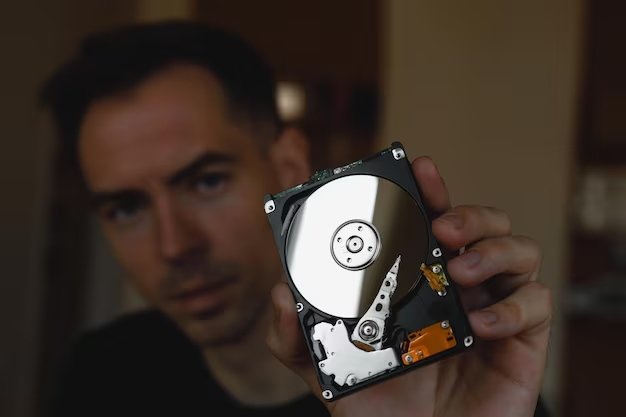
Before comparing them for gaming, it is important to understand what each drive type is and how it works.
Hard Disk Drive HDD
HDDs are the traditional storage devices. They use spinning magnetic disks to read and write data. Because they rely on mechanical parts, they are generally slower, but they offer larger storage at a lower cost per gigabyte.
Pros of HDDs
- Larger storage capacity for less money
- Ideal for storing large libraries of games and media
- Reliable for long-term storage if handled carefully
Cons of HDDs
- Slower load times for games and applications
- Noise from spinning disks
- Higher risk of mechanical failure
Solid State Drive SSD
SSDs use flash memory, meaning there are no moving parts. This allows for much faster read and write speeds, making them significantly quicker than HDDs.
Pros of SSDs
- Extremely fast load times for games and levels
- Reduced in-game stuttering and texture pop-ins
- Silent operation with no moving parts
- Better durability against shocks
Cons of SSDs
- Higher cost per gigabyte
- Smaller maximum storage compared to affordable HDDs
Why SSDs Can Improve Your Gaming Experience
The speed of an SSD directly affects gameplay in ways that HDDs cannot match.
Faster Game Load Times
Games installed on an SSD load much faster than on an HDD. Large open-world games, like Elden Ring or Red Dead Redemption 2, can see load times drop from over a minute on HDD to just a few seconds on SSD.
Reduced In-Game Stuttering
Some games stream textures and assets in real time. On an HDD, the slower data access can cause stuttering or delayed texture loading. SSDs eliminate most of these issues, providing smoother gameplay.
Quick System Boot and Game Launch
SSDs not only improve gaming performance but also make your operating system run faster. Boot times are cut significantly, and launching games installed on an SSD is nearly instantaneous.
When an HDD Might Still Be Useful for Gamers
Although SSDs are faster, HDDs still have practical uses in a gaming setup.
Large Game Libraries
HDDs are perfect for storing large libraries of older or less frequently played games. You can have multiple terabytes of games without spending hundreds on storage.
Backup Storage
HDDs are useful for backing up save files, game mods, and media libraries. They provide high capacity at a fraction of the cost of SSDs.
Choosing the Right Drive for Your Gaming Setup
Pure SSD Build
If you want the fastest load times, smooth gameplay, and responsiveness, an all-SSD system is ideal. This is recommended for competitive gaming and players who frequently play modern AAA games.
Hybrid Setup
Many gamers prefer a combination of SSD and HDD. Install your operating system and current favorite games on the SSD for speed, and use an HDD to store older or less demanding titles. This approach balances performance and storage cost.
Drive Capacity Considerations
- For SSDs, aim for at least 500GB to 1TB for modern games.
- HDDs are typically available in 2TB to 8TB or more for larger libraries.
SSD vs HDD Performance Comparison for Gaming
| Feature | SSD | HDD |
|---|---|---|
| Read and Write Speed | 500 MB/s to 7000 MB/s | 100 MB/s to 200 MB/s |
| Game Load Times | Fastest | Slower |
| Boot and Launch Time | 10 to 30 seconds | 1 to 3 minutes |
| Noise Level | Silent | Audible spinning |
| Durability | Shock-resistant | Susceptible to mechanical damage |
| Price per Gigabyte | Higher | Lower |
Final Recommendation
- Competitive and AAA Gamers – Use an SSD to maximize performance. Consider a high-speed NVMe SSD if your motherboard supports it.
- Casual or Budget Gamers – A large HDD can store many games, with a small SSD used for your favorite or most played titles.
- Balanced Setup – Pair a 1TB SSD for active games and a 4TB HDD for older games and backups. This gives the best of speed and capacity without overspending.
In modern gaming, SSDs are no longer optional for serious performance, but HDDs still provide excellent value for storage-heavy needs. Choosing the right combination ensures smoother gameplay, faster load times, and an efficient use of your budget.