
Google Block Breaker is a free arcade game built directly into Google Search — no app, no download, no account needed. Search for ‘block breaker’ or ‘brick breaker’ on Google, and the game appears right at the top of the results. It launched in January 2025 and takes about five seconds to start playing.
What Is Google Block Breaker
Google Block Breaker is Google’s take on the classic brick-breaking arcade format. You control a paddle, bounce a ball upward, and try to clear rows of colored bricks. It lives inside Google Search itself — not on a separate site or app.
Google Block Breaker is different from the old Atari Breakout trick from 2013, where Google Images turned into a breakout game via a keyboard shortcut. That stopped working years ago. This is a proper standalone game added to Search in January 2025, working consistently on both desktop and mobile.
How to Play Google Block Breaker
On Desktop
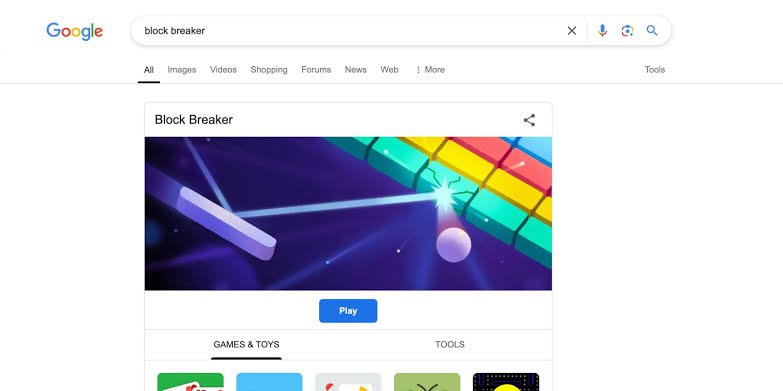
Open Google and type ‘block breaker’ or ‘brick breaker’ into the search bar. The Google Block Breaker panel appears above the results. Click play and move your paddle with your mouse. The ball launches automatically.
On Mobile
Search the same terms in the Google app or mobile browser. Tap play and drag your finger left and right to move the paddle. Touch controls are responsive, though the smaller screen makes later levels tighter.
What to Do If Google Block Breaker Does Not Show Up
- Switch your Google language to English — the most common fix; go to Google settings, change language, search again.
- Try ‘brick breaker’ instead — both terms work, but one sometimes triggers the panel more reliably.
- Use a different browser — older browsers can struggle to load Google’s interactive panels.
- Disable ad blockers temporarily — some extensions interfere with the game widget loading.
- Check you are on google.com — the game does not appear on all regional subdomains.
Google Block Breaker Controls and Power-Ups
On the desktop, your mouse position controls the paddle — move the cursor and the paddle follows. On mobile, you slide your finger. The ball bounces at angles depending on where it hits your paddle.
| Power-Up | What It Does |
| Wide paddle | Expands your paddle for easier ball control |
| Multi-ball | Splits the ball into two or three, clearing bricks faster |
| Slow ball | Reduces ball speed, giving you more reaction time |
| Laser | Fires shots upward from your paddle, destroying bricks directly |
| Extra life | Adds one extra ball before the game ends |
Tips to Beat Your Google Block Breaker High Score
- Aim for the corners first — clearing corner bricks gives the ball room to bounce at steep angles.
- Stay slightly ahead of the ball — gives you a bigger margin on off-center hits.
- Grab multi-ball whenever it drops — the most valuable power-up in Google Block Breaker.
- Small controlled movements beat frantic chasing — especially on fast, later levels.
Other Google Games to Try
If you enjoy Google Block Breaker, see our full list in the browser games hub. Other Google Search games include solitaire (search ‘solitaire’), snake (search ‘snake game’), minesweeper, and tic-tac-toe.
- **Do a Barrel Roll** — search ‘do a barrel roll’ and watch the page spin. See our Do a Barrel Roll x200 guide for the extended version.
Frequently Asked Questions
Is Google Block Breaker the same as the old Atari Breakout easter egg?
No. The Atari Breakout trick from 2013 stopped working years ago. Google Block Breaker is a separate game added to Google Search in January 2025 with multiple levels, power-ups, and consistent availability on both desktop and mobile.
Does Google Block Breaker save my high score?
Not between sessions. Your score resets when you close the game or leave the Search results page. There is no account-linked leaderboard built into the game.
Why does Google Block Breaker only appear sometimes?
The most reliable fix is making sure your Google interface language is set to English. Emptying your browser cache or trying a different browser can also help if the panel refuses to load.
Google Block Breaker is one of those things that takes five seconds to find and fifteen minutes to put down. Search the name, hit play, and see how far you get. The later levels are genuinely challenging, and chasing a higher score is more satisfying than it has any right to be.