

Corruption of Champions cheats give you direct control over your character’s stats, gems, and inventory without leveling through the game’s normal progression. Whether you want to max your stats, add gems quickly, or unlock items, here is how to enable cheat mode and use it safely.
How Cheats Work in Corruption of Champions
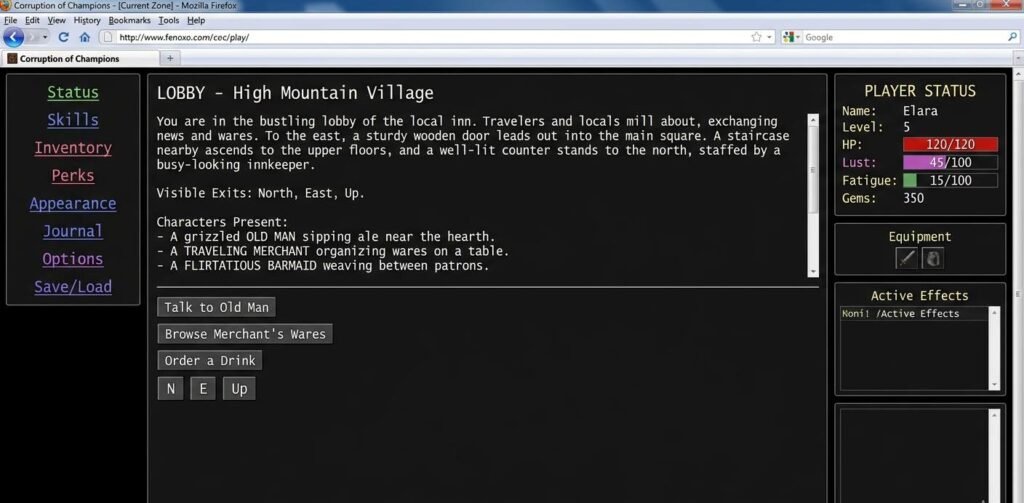
Corruption of Champions is a text-based adult RPG originally released as a browser game and later ported to a downloadable version. The game tracks a large set of character stats, strength, toughness, speed, intelligence, libido, sensitivity, and corruption, among others, along with gems (the in-game currency) and an inventory of items and consumables.
Corruption of Champions cheats work by directly setting these values rather than earning them through combat or exploration. The first game includes a built-in cheat mode that you activate through the main menu. Once active, a dedicated cheat interface appears that lets you edit most values without needing to modify any files externally.
The Revamp mod, a community-maintained overhaul of the first game, handles cheats differently and has its own set of commands. The two versions are not interchangeable, so it is important to know which version you are running before following any guide.
How to Turn On Cheat Mode in Corruption of Champions
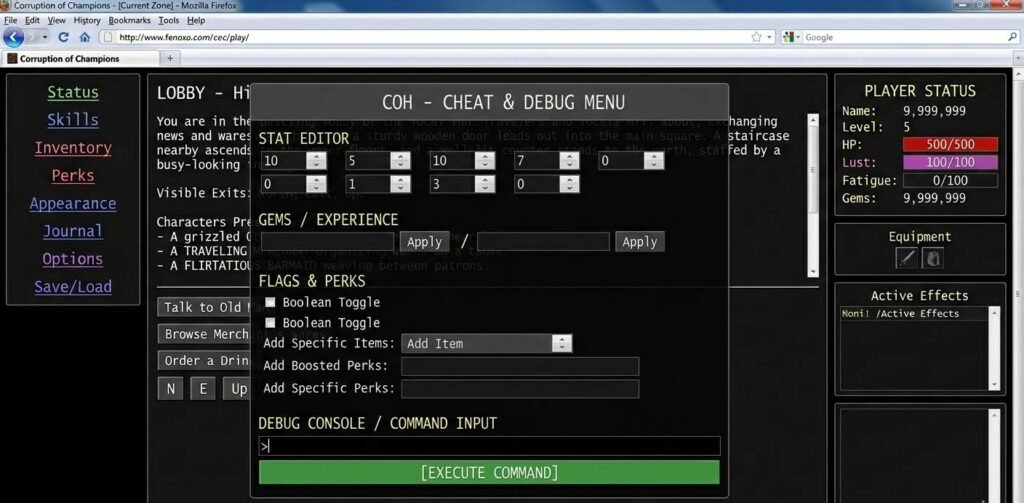
In the first Corruption of Champions browser version and the standard downloadable release, cheat mode is activated from the main menu before you start or load a game.
- Open Corruption of Champions and go to the main menu.
- Look for a small button or text link labeled ‘Cheats’ or ‘Debug’ in the lower corner of the menu screen — it is intentionally subtle and easy to miss.
- Click it once to toggle cheat mode on — a confirmation message appears.
- Start or load your save — the cheat panel is now accessible from the in-game menu.
- Access the cheat panel via the in-game options or a dedicated button that appears after cheat mode is enabled.
Cheat mode in the first game does not disable saves, achievements, or any other game feature. It is a developer-included tool with no penalty for use in single-player. Note that enabling cheats is logged in your save file, so if you share a save or post progress online, others may be able to see that cheat mode was used.
The Most Useful Corruption of Champions Cheat Commands
Editing Stats and Gems
Once the cheat panel is open, you will see a series of input fields corresponding to your character’s core stats. Each field accepts a numeric value that directly sets that stat to whatever number you enter. There are no minimum or maximum limits enforced by the cheat panel itself, though setting values beyond the game’s normal range can cause display issues or unanticipated behavior.
| Stat | What It Affects | Safe Range to Set |
| Strength | Physical damage output in combat | 50–100 for comfortable play |
| Toughness | Damage resistance and HP pool | 50–100 |
| Speed | Turn order and dodge chance | 50–100 |
| Intelligence | Spell effectiveness and dialogue options | 50–100 |
| Gems | In-game currency for purchases | Any amount; 9999 covers most needs |
| Corruption | Affects story branches and NPC reactions | 0–100; story-relevant, set carefully |
| Sensitivity | Affects certain encounter outcomes | 0–100; story-relevant |
Corruption is worth treating with care. It affects which story branches open and how NPCs respond to you. Setting it to an extreme value early can close off content you might want to access later. Set it deliberately rather than maxing it out by default.
Adding Items
The item addition function in the cheat panel works by name or ID, depending on the version. In the first game, you can type an item name into the item field and add it directly to your inventory. In some builds, a numeric item ID is required instead.
- Common consumables like healing items and stat boosters can be added by name in most versions.
- Equipment items follow the same process — enter the name exactly as it appears in the game’s item list.
- The quantity field lets you specify how many copies to add in a single action.
- Item names are case-sensitive in some versions — if an item does not add correctly, try the exact capitalisation used in the game’s inventory screen.
Editing Your Corruption of Champions Save File the Safe Way
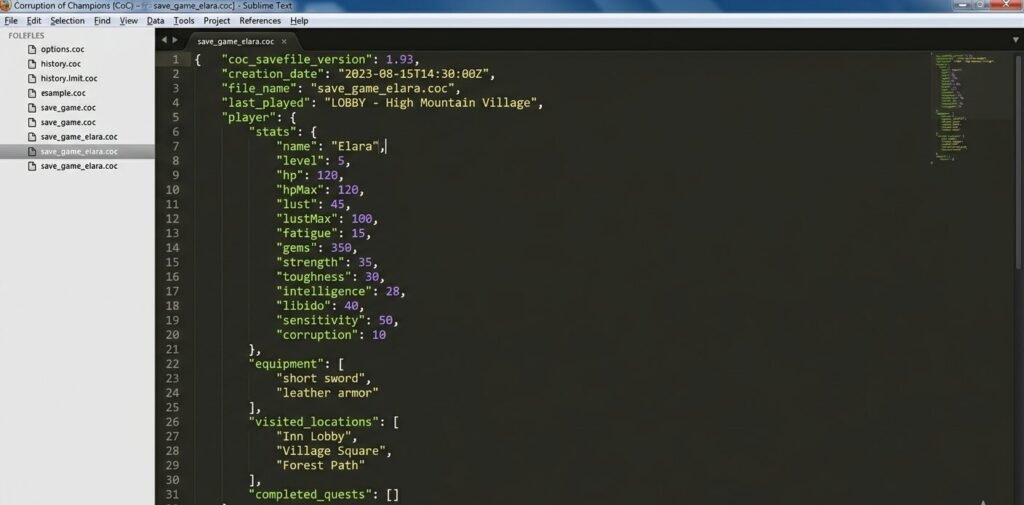
The downloadable version of Corruption of Champions stores saves as text files that can be opened and edited in any plain editor. This is an alternative to the in-game cheat panel and gives you more granular control over values that the cheat panel does not expose directly.
- Locate your save file — on Windows, it is typically found in the game’s installation folder under a ‘saves’ subdirectory.
- Make a copy of the save file before editing anything — rename the copy so you can restore it if something goes wrong.
- Open the save file in a simple text editor — Notepad works; avoid word processors that may add formatting.
- Search for the stat name you want to edit — the file uses readable variable names like ‘str’, ‘tou’, ‘spe’, ‘gems’.
- Change the numeric value next to the variable name and save the file.
- Load the edited save in the game and verify the changes took effect before making further edits.
Save file editing gives you access to variables that the in-game cheat panel does not display, including some transformation values and hidden flags. It also works on versions of the game where the cheat panel button is absent or difficult to access.
Corruption of Champions Cheats for the Revamp Mod and Other Versions
The Corruption of Champions Revamp mod is a major community overhaul that adds content, balances gameplay, and restructures some systems. Cheats in the Revamp mod work differently from the first version in a few important ways.
- The cheat panel location changes — in Revamp, cheat access is often found in the options menu rather than the main menu.
- Some stat names differ — the Revamp mod renames or reorganises certain stats; check the Revamp-specific documentation rather than guides written for the original version.
- New stats exist — Revamp adds stats absent from the original; these only appear in the cheat panel when running the Revamp version.
- Save file format differs — Revamp saves are not compatible with the first game and vice versa; do not mix guides between versions.
For more adult game cheat guides and visual novel walkthroughs, visit our visual novels and adult games category. For the Peasant’s Quest gallery cheat, see our
Frequently Asked Questions
Do Corruption of Champions cheats disable any game features?
No. The built-in cheat mode in the first game does not disable saves, lock endings, or restrict content. It is a developer-provided tool. The only logged effect is that cheat mode use is recorded in your save file, which is visible to anyone who inspects the file directly.
Can I use Corruption of Champions cheats on the mobile version?
The first game runs as a browser-based Flash title or downloadable executable, neither of which has an official mobile port. If you are playing through a browser emulator on mobile, the cheat panel may be accessible, but the interface can be difficult to use on a small screen. The save file editing method is not practical on mobile.
What is the difference between the original Corruption of Champions and the Revamp mod?
The original game is the version released by Fenoxo, playable in a browser and as a standalone download. The Revamp mod is a community project that overhauls balance, adds content, and modifies some systems. Cheats work in both, but the panel location, stat names, and some commands differ. Always check which version you have before following a cheat guide.
Corruption of Champions cheats are about giving yourself the play experience you want without grinding. Use the in-game cheat panel for most things, back up your save before editing files manually, and pay attention to which version you are running — the first and Revamp are different enough that mixing up guides between them causes most of the problems players report.