

Palworld cheats give you direct access to admin console commands, item and Pal spawning via ID codes, and third-party trainers for offline play. This guide covers all three Palworld cheats methods, the most useful commands for the current build, and how to stay safe while using them.
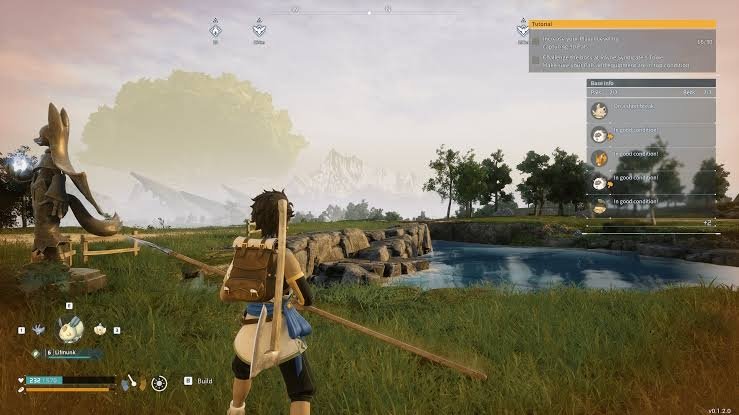
Version note: Palworld cheats and commands in this guide are current as of version 0.4. x (2026). Palworld updates frequently. Verify commands still work in your installed build and check back after major patches.
What Palworld Cheats Are Available
Palworld cheats fall into three categories. Each has different requirements, different capabilities, and different risk levels depending on where you use them.
| Method | How It Works | Best For | Risk Level |
| Admin console commands | Built-in server commands via in-game console | Solo worlds and private servers | None on solo or private |
| Item ID spawning | Spawn items and Pals using ID codes in the console | Getting specific resources fast | None on solo or private |
| PC trainer | Third-party software modifying game memory in real time | Offline play with toggleable cheats | Ban risk on official servers |
The rule across all Palworld cheats: use them on solo worlds or private servers only. Using admin commands or trainers on official multiplayer servers violates Palworld’s terms of service and can result in a permanent ban. Solo play has no such restriction.
How to Enable Palworld Cheats: Admin Console Commands
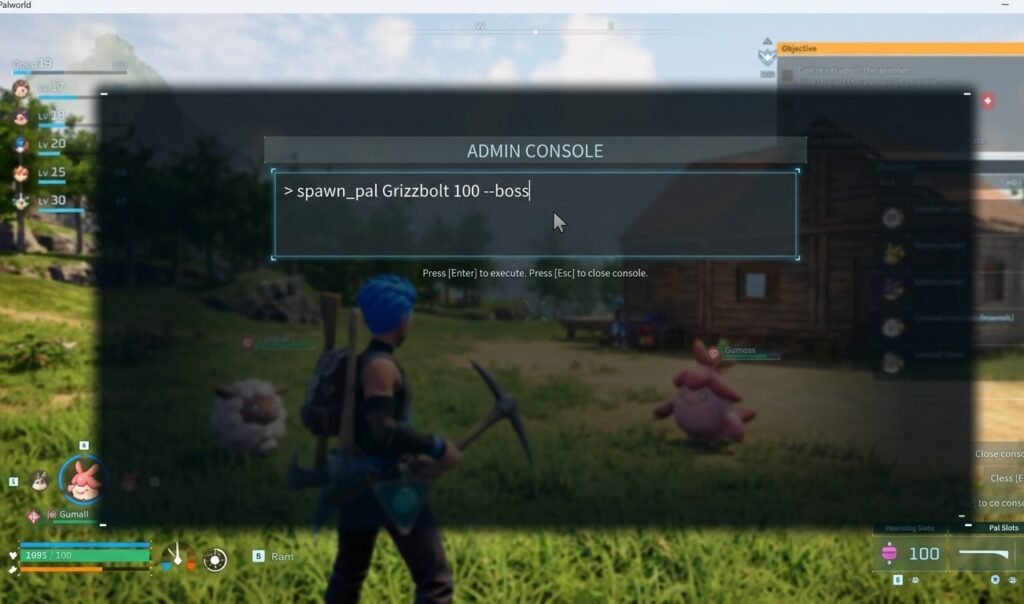
Admin console commands are the cleanest way to use Palworld cheats. They are built into the game itself and require no third-party software. For solo play on PC, the setup is straightforward.
- Open Palworld and load your solo world or connect to your private server.
- Press the tilde (~) or Enter key to open the console input field at the bottom of the screen.
- Type /AdminPassword [yourpassword] and press Enter to authenticate as admin
- For solo worlds, set your admin password in WorldSettings.ini under AdminPassword= before launching.
- Confirm admin access by entering /ShowPlayers. If it returns data, your Palworld cheats console is ready.
For the full Palworld server setup guide, including how to edit WorldSettings.ini, the official Palworld support documentation has step-by-step instructions.
The Most Useful Palworld Cheats Console Commands
These are the most practical Palworld cheats available through the admin console. All commands use a forward slash prefix and are entered in the console input field.
| Palworld Cheats Command | What It Does |
| /AdminPassword [password] | Authenticates you as admin — required before all other commands |
| /ShowPlayers | Lists all players currently on the server with their Steam IDs |
| /KickPlayer [SteamID] | Kicks a player from the server |
| /BanPlayer [SteamID] | Permanently bans a player from the server |
| /TeleportToPlayer [SteamID] | Teleports you to the specified player’s location |
| /TeleportToMe [SteamID] | Teleports the specified player to your location |
| /Broadcast [message] | Sends a server-wide message to all online players |
| /Shutdown [seconds] [message] | Shuts down the server after a countdown with a broadcast |
| /DoExit | Immediately shuts down the server |
| /InfiniteStamina | Toggles infinite stamina for your character |
| /NoCooldown | Removes cooldowns from all abilities and crafting actions |
Palworld cheats commands are case-sensitive on some server builds. If a command fails, re-enter it exactly as shown, including the forward slash and capitalisation.
Spawning Items and Pals With Palworld Cheats Item IDs
Item and Pal spawning are some of the most useful Palworld cheats for solo play. The spawn command formats are:
/SpawnItem [ItemID] [Quantity] (for items and resources)
/SpawnCharacter [PalID] (for spawning specific Pals)
| Item | Item ID | Notes |
| Paldium Fragment | PalCrystal_01 | Core crafting material for Pal Spheres |
| Ancient Technology Points | AncientTechnologyPoint | Required for advanced tech unlocks |
| Gold Coin | Money_01 | Primary in-game currency |
| High Quality Pal Oil | PalOil_02 | Advanced crafting ingredient |
| Carbon Fiber | CarbonFiber | Late-game crafting material |
| Standard Pal Sphere | PalSphere_01 | Basic Pal capture sphere |
| Mega Sphere | PalSphere_02 | Higher capture rate sphere |
| Giga Sphere | PalSphere_03 | High-level capture sphere |
| Legendary Sphere | PalSphere_04 | Best capture sphere in the game |
| Wheat Seeds | WheatSeeds | Core farming resource |
Palworld item IDs are version-specific and change between major patches. For the most current ID list after any update, the Palworld Wiki item database is updated by the community after each patch. It is the most reliable reference.
Using a PC Trainer for Palworld Cheats Offline
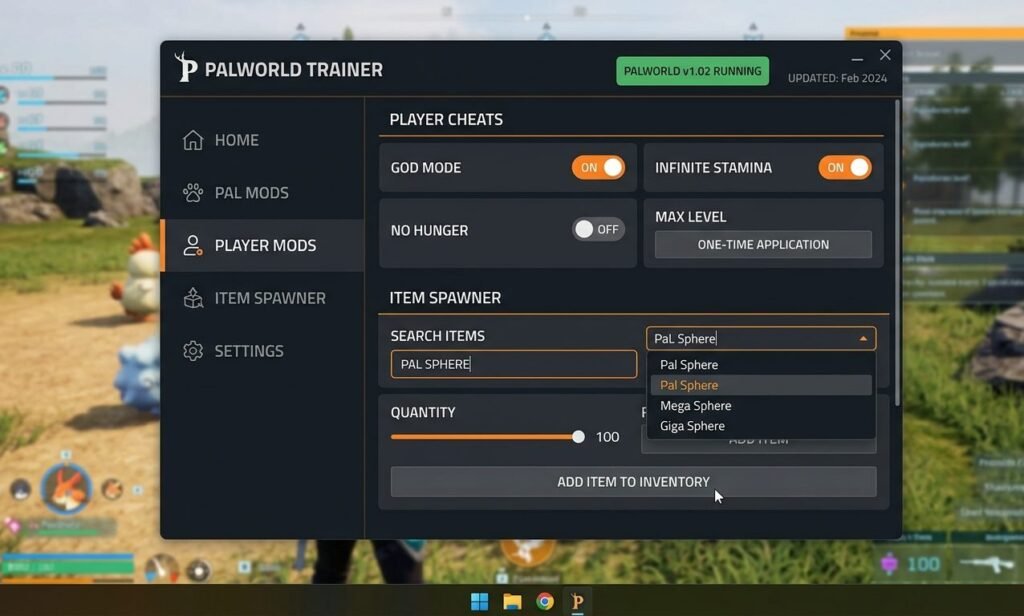
PC trainers are the most powerful form of Palworld cheats for solo play, offering toggleable options the console cannot provide. This includes god mode, unlimited carry weight, instant crafting, and infinite resources without entering individual commands.
- Download trainers only from trusted sources. WeMod and FLiNG Trainer are the two most widely used Palworld cheats trainer platforms with clean safety records.
- Match the trainer version to your game build. A version mismatch causes the trainer to fail silently or crash the game.
- Launch the trainer before starting Palworld. Most trainers require detecting the game process on launch.
- Use offline only. Trainers modify game memory in ways detectable by anti-cheat; never run a Palworld cheats trainer while connected to official servers.
- Back up your save before activating. Some memory modifications can corrupt the save state if the game closes unexpectedly with cheats active.
Using Palworld Cheats Safely Without a Ban
The ban risk with Palworld cheats is real but completely avoidable. It only applies when cheats are used on official servers where other players are present.
- Solo world = zero ban risk. No server connection means no anti-cheat detection; use any Palworld cheats method freely.
- Your own private server = low risk. Admin commands are legitimate use; trainers carry some risk even here if the server touches official infrastructure.
- Official servers = never use cheats. Admin commands, trainers, and modified saves all carry ban risk on official multiplayer servers.
- Keep a separate cheat save. Maintain your main progression in one world and your Palworld cheats world separately, so a corrupted save does not affect your legitimate progress.
- Disable trainers before any multiplayer session. Running a trainer in the background while switching to an official server has caused bans in reported cases.
For related PC game cheat guides, including admin commands and trainer setups, see our PC cheats hub. For our full Palworld coverage, including base building and Pal breeding guides, visit our site.
Frequently Asked Questions
Do Palworld cheats work in multiplayer?
Admin console Palworld cheats work on multiplayer servers where you are the admin. This means your own private server only. They do not work on official servers where you have no admin access. PC trainers on any multiplayer server carry a ban risk, and using them on official servers is a near-certain permanent ban.
Will Palworld cheats disable my Steam achievements?
Palworld has Steam achievements. Using admin console commands in a solo world does not automatically disable achievements in all cases, but commands that trivialise progression may flag internally. PC trainers are more likely to interfere because they modify game memory directly. Keep a separate save for Palworld cheats play if achievements matter to you.
Are Palworld cheats item IDs the same on Xbox Game Pass?
Palworld is available on Steam and Xbox Game Pass for PC. Item IDs are consistent between both versions of the same game build. However, IDs change after major updates. Always verify against the current Palworld Wiki item database rather than older guides.
Palworld cheats are safe and genuinely fun in solo play. Get your admin password set, learn the five or six commands you actually need, and the game becomes whatever experience you want. Play a full survival challenge or creative sandbox. Keep it offline, keep a backup save, and you will not run into any problems.